Everything for planning and teaching reformer classes.
Every screen below is the real Forme web app. The same classes open in the iPhone app.
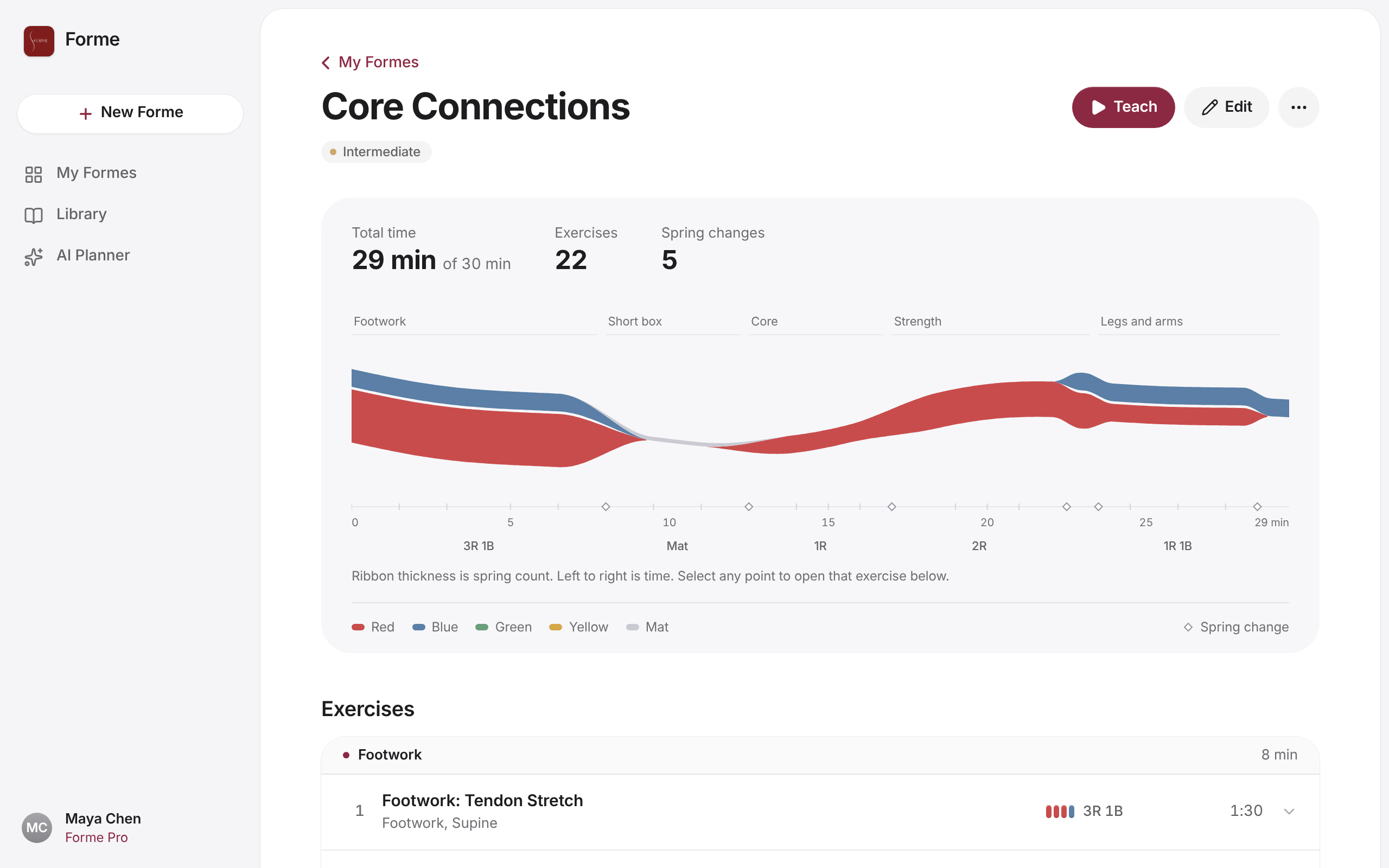
See every spring change
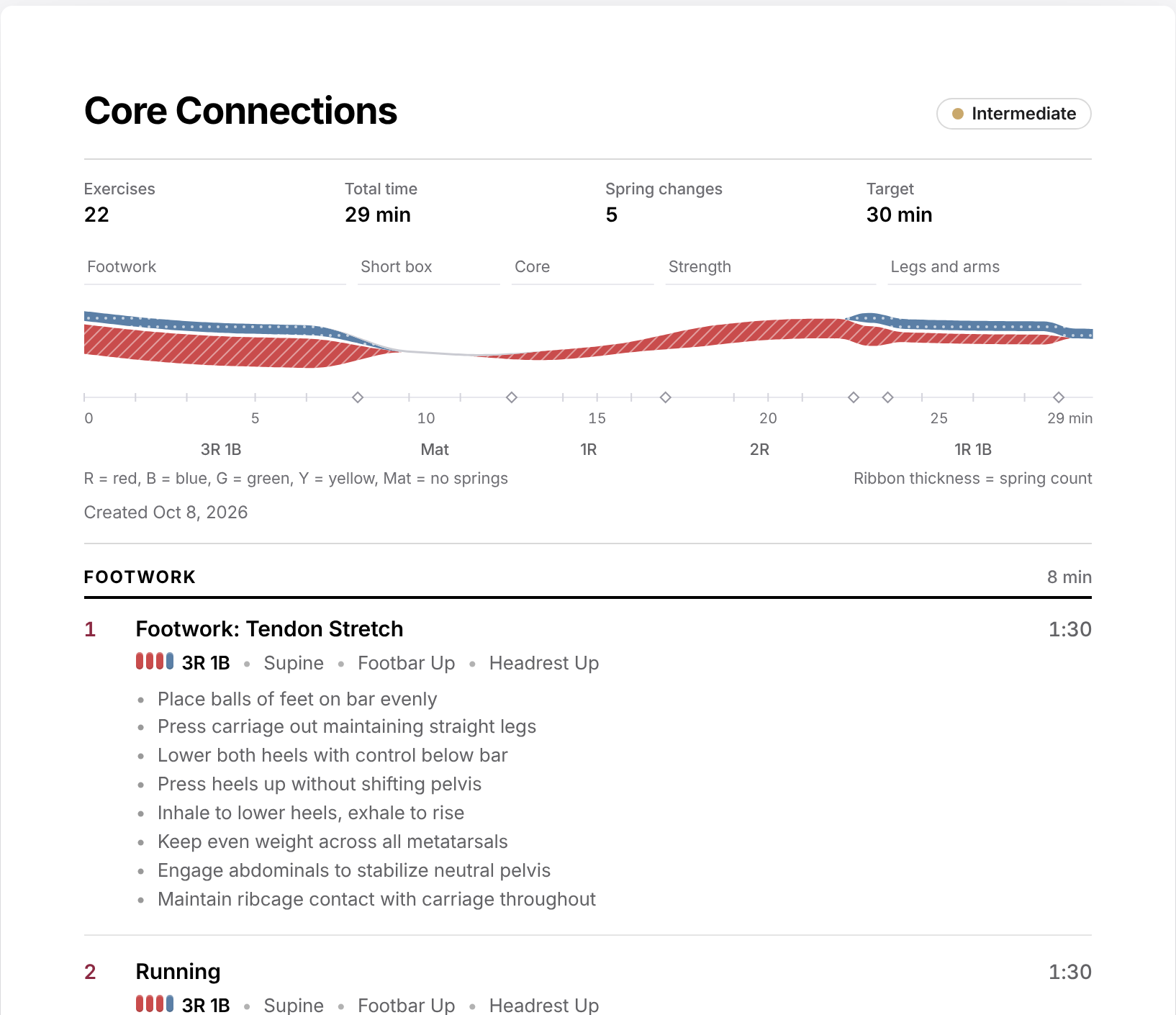
Forme draws each class as spring ribbons: time runs left to right and each ribbon is a spring colour, thicker for more springs. A swell is a spring change, so you can spot a class that keeps clients waiting before you teach it. One tap reorders it to cut the changes, keeping your opener first and cool-down last.
- Spring changes counted for every class
- Minimize spring changes in one tap
- Setup labels like 3R 1B on every stretch
Build it your way
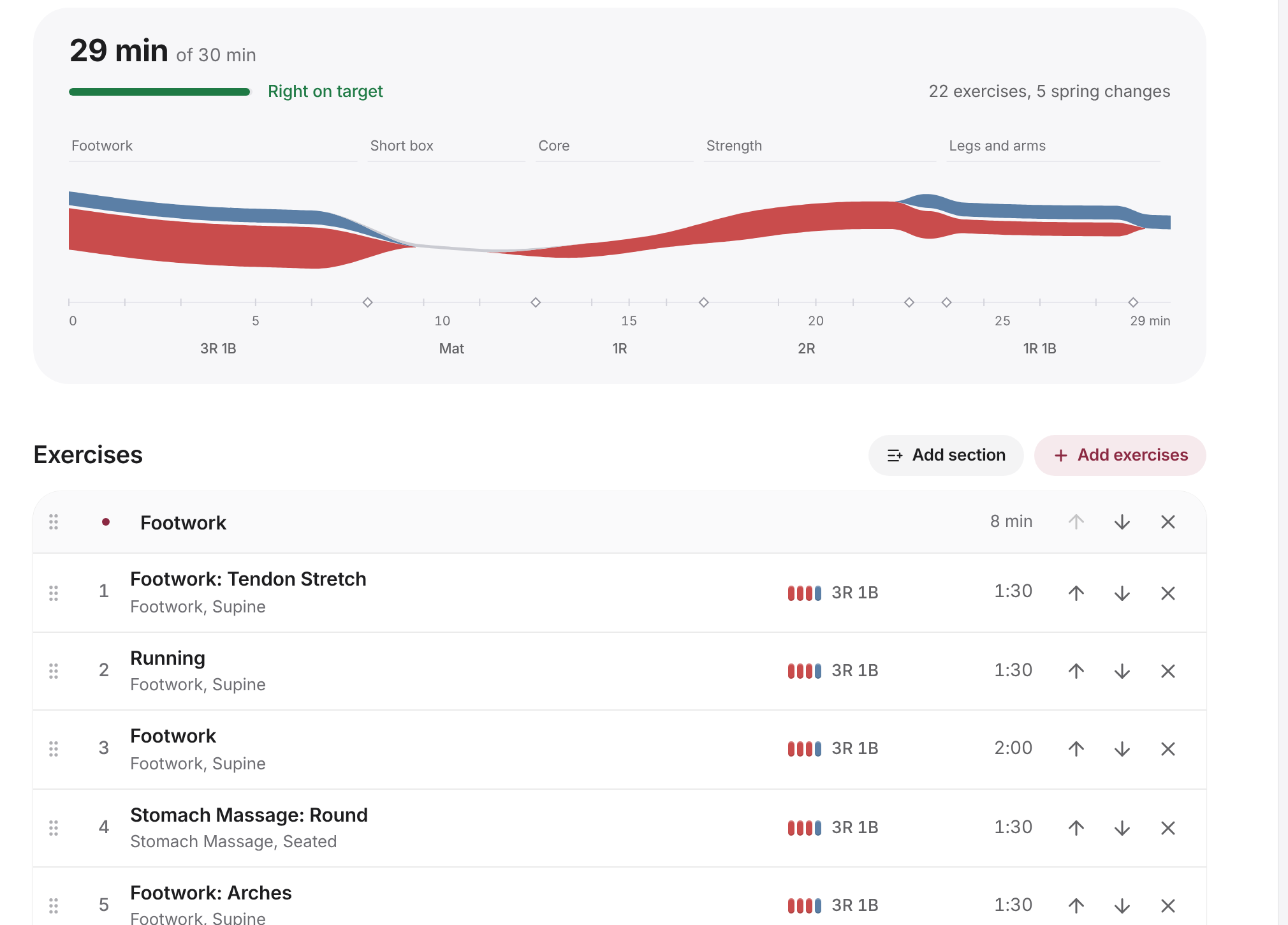
Add exercises from the library, drag them into order and group them into sections like Warm-up, Footwork and Cool-down. Set a target length and Forme keeps a running total, with custom springs for any exercise.
- Sections with their own running time
- Target length with a live total
- Custom springs per exercise
Describe a class, get a plan
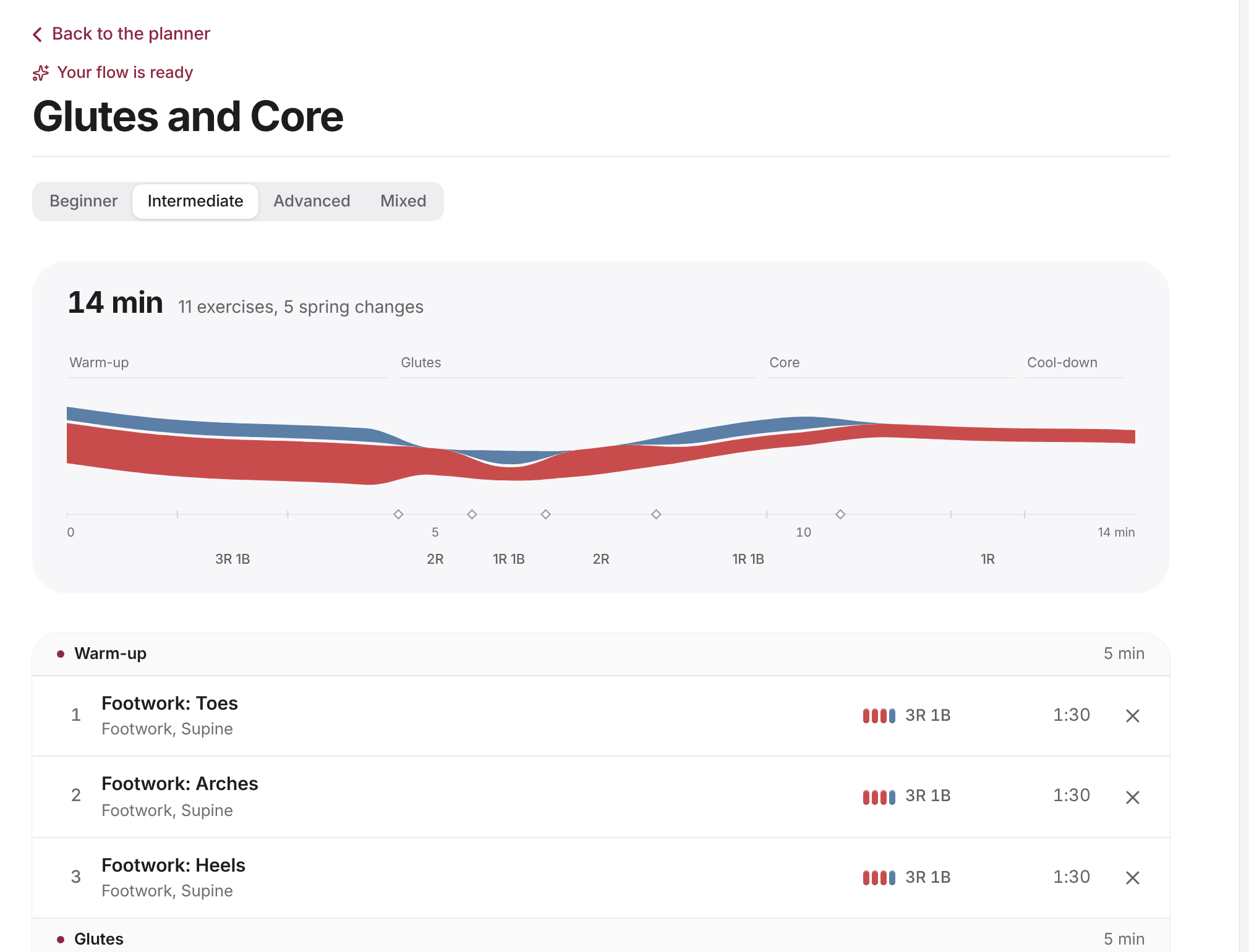
Tell the AI planner what you're teaching, like "45 minutes, intermediate, glutes and core", and it builds a full class from the library, already in sections and ordered for fewer spring changes. Remove anything you don't want, then save it and make it yours.
- Plain-language briefs
- Respects level, length and injuries you mention
- Edit everything after it's built
Teach without your notes
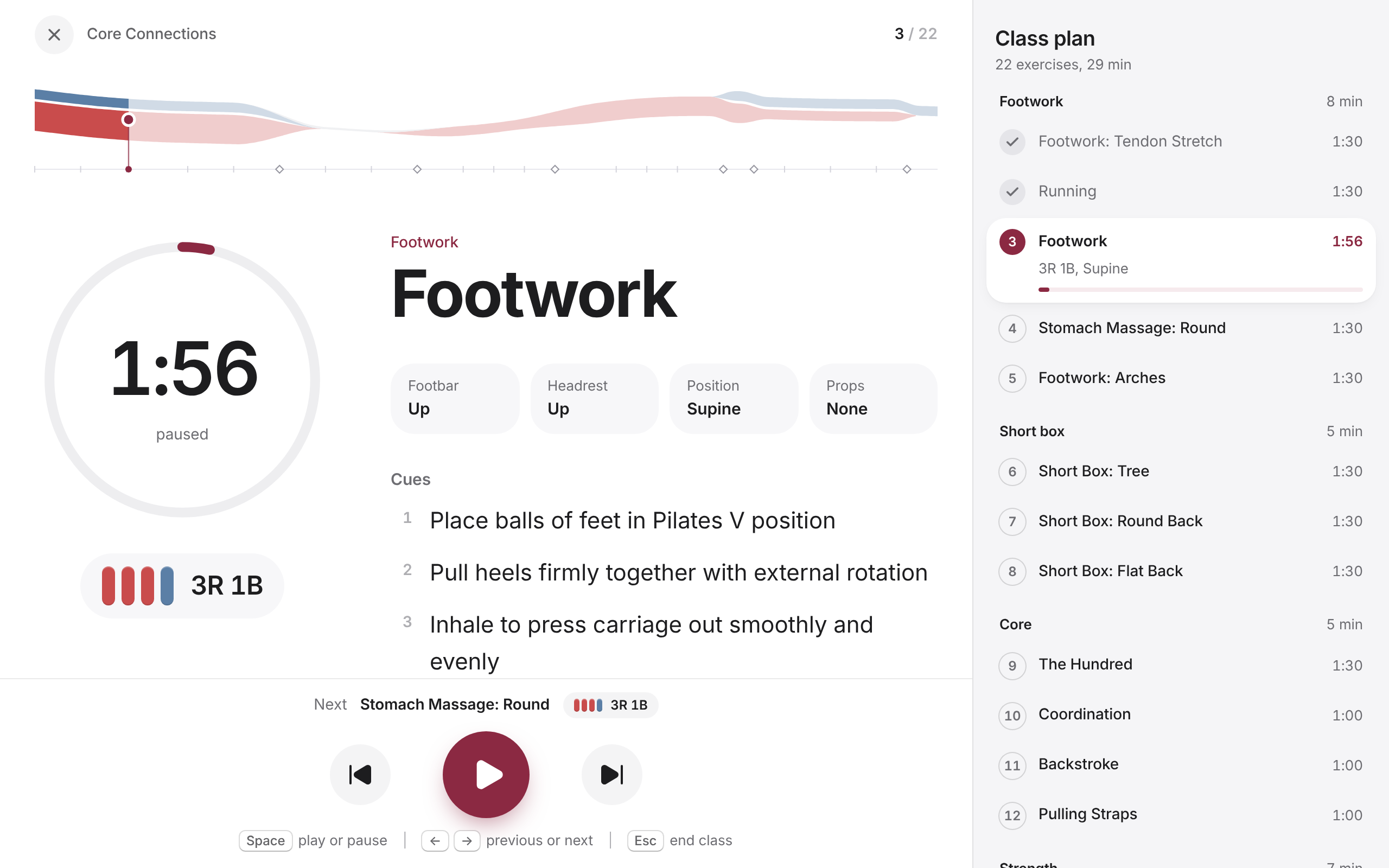
Teach mode shows the exercise, its cues and the springs in type you can read from the reformer. A timer runs each exercise, the next setup is always on screen, and the class plan sits beside you.
- Large type, readable at a distance
- Timers and the next setup on screen
- Keyboard shortcuts on the web
A class sheet for the studio
Print any class or save it as a PDF: sections, springs, footbar and headrest, transitions and cues for every exercise, on one clean sheet.
- Springs, setup and cues per exercise
- Sections and spring ribbons at the top
- Print or save as PDF
And the details
213 exercises
170 reformer and 43 mat exercises, each with springs, setup and cues.
Your reformer's colours
Pick your reformer in the iPhone app, from Balanced Body and Stott to Peak and Gratz, and springs show in its colours.
16 templates
Start from a ready-made class, from beginner basics to advanced flows.
Import from notes
Paste the notes you already keep, abbreviations and all, and Forme matches every exercise.
Your own exercises
Add the moves you teach that aren't in the library. They sync with everything else.
Spotify playlists
Attach a playlist to a class in the iPhone app and it's there when you teach.